
Cloudflare支持Python边缘计算
Cloudflare支持Python边缘计算
安装
基础安装流程是安装wrangler后使用wrangler init命令即可进入交互式命令行
D:\Data>npm install -g wrangler

added 34 packages in 31s

6 packages are looking for funding
  run `npm fund` for details

D:\Data>wrangler init demo-worker

 ⛅️ wrangler 4.63.0
───────────────────
🌀 Running `npm create cloudflare@^2.5.0 demo-worker --`...
Need to install the following packages:
create-cloudflare@2.63.0
Ok to proceed? (y) y


> npx
> create-cloudflare demo-worker


👋 Welcome to create-cloudflare v2.63.0!
🧡 Let's get started.
📊 Cloudflare collects telemetry about your usage of Create-Cloudflare.

Learn more at: https://github.com/cloudflare/workers-sdk/blob/main/packages/create-cloudflare/telemetry.md


╭ Create an application with Cloudflare Step 1 of 3
│
├ In which directory do you want to create your application?
│ dir ./demo-worker
│
├ What would you like to start with?
│ category Hello World example
│
├ Which template would you like to use?
│ type SSR / full-stack app
│
├ Which language do you want to use?
│ lang Python (beta)
│├ Copying template files
│ files copied to project directory
│
├ Updating name in `package.json`
│ updated `package.json`
│
├ Updating name in `pyproject.toml`
│ updated `pyproject.toml`
│
╰ Application created

╭ Configuring your application for Cloudflare Step 2 of 3
│
├ Retrieving current workerd compatibility date
│ compatibility date 2026-02-05
│
├ Do you want to use git for version control?
│ no git
│
 ╰ Application configured

╭ Deploy with Cloudflare Step 3 of 3
│
├ Do you want to deploy your application?
│ yes deploy via `npm run deploy`
│
├ Logging into Cloudflare checking authentication status
│ not logged in
│
├ Logging into Cloudflare This will open a browser window
│ allowed via `wrangler login`
│
├ Selecting Cloudflare account retrieving accounts
│ account (redacted)
│

> demo-worker@0.0.0 deploy
> uv run pywrangler deploy

Downloading cpython-3.12.12-windows-x86_64-none (download) (20.8MiB)
 Downloaded cpython-3.12.12-windows-x86_64-none (download)
Using CPython 3.12.12
Creating virtual environment at: .venv
Downloading pygments (1.2MiB)
 Downloaded pygments
warning: Failed to hardlink files; falling back to full copy. This may lead to degraded performance.
         If the cache and target directories are on different filesystems, hardlinking may not be supported.
         If this is intentional, set `export UV_LINK_MODE=copy` or use `--link-mode=copy` to suppress this warning.
Installed 12 packages in 622ms
Using CPython 3.13.11 interpreter at: D:\Program Files\Python313\python.exe
Creating virtual environment at: .venv-workers
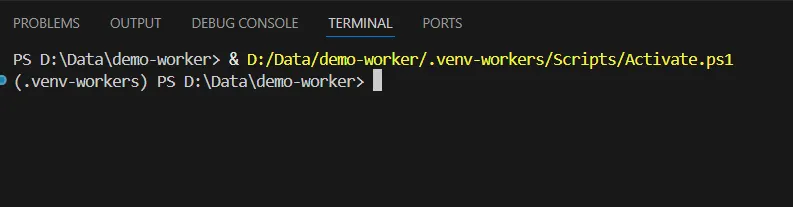
Activate with: .venv-workers\Scripts\activate
Downloading pyodide-3.13.2-emscripten-wasm32-musl (download) (5.5MiB)
 Downloaded pyodide-3.13.2-emscripten-wasm32-musl (download)
Installed Python 3.13.2 in 4.21s
 + pyodide-3.13.2-emscripten-wasm32-musl (python3.13.exe)
warning: `C:\Users\a313\.local\bin` is not on your PATH. To use installed Python executables, run `set PATH="C:\\Users\\a313\\.local\\bin;%PATH%"` or `uv python update-shell`.
error: Python interpreter not found at `C:\Users\a313\AppData\Roaming\uv\python\pyodide-3.13.2-emscripten-wasm32-musl\python.exe`
ERROR    Error running command: uv.EXE venv
         D:\Data\demo-worker\.venv-workers\pyodide-venv --python
         cpython-3.13.2-emscripten-wasm32-musl
         Exit code: 2
         Output:

╰ ERROR Error此时提出uv的目录不在环境变量中C:\\Users\\a313\\.local\\bin;%PATH%,可以忽略,因为IDE会自动识别环境变量。
部署
此时执行wrangler deploy即可获得预览链接
调试
在本地运行wrangler dev即可触发本地的调试接口,通过选项打开浏览器在本地调试。
注意问题
在创建时,IDE可能会引用默认的uv环境,有.venv-workers和.venv两个环境,需要使用.venv的环境开发
官方文档推荐使用 https://github.com/cloudflare/workers-py 进行开发
uv run pywrangler dev但是上述过程中存在环境问题
Cloudflare Python Worker 用的不是普通 Python,而是Pyodide = Python → WebAssembly (WASM)
建议在wsl或linux中测试或使用wrangler dev
官方模板
官方提供了FastAPI体系的模板,并且测试可用,下面的代码增加了Pydantic,仍然可用。
import jinja2
from fastapi import FastAPI, Request
from workers import WorkerEntrypoint
from pydantic import BaseModel

app = FastAPI()

class User(BaseModel):
    username: str
    id: int

@app.get("/")
async def root():
    try:
        user = User(
            username="hello",
            id=1
        )
        message = "This is an example of FastAPI with Jinja2 - go to /hi/<name> to see a template rendered"
        return {"message": message, "user":user.__dict__}
    except Exception as e:
        return {"error": str(e)}
从支持度来看,支持Python是利用pyodide的能力,因此无法支持密码库,TCP等能力。
Python Worker的支持来源有:
- Pypi,纯Python脚本,用原生语法构成的包
- pyodide官方支持的包,可能存在版本落后和性能差异,同时也需要注意安全性兼容
如果涉及到了C/C++拓展,Rust重写等包,那么是无法支持的。
Pythonworker的定位也不是Python Server,而仍然是一个EdgeServer的Python版本
适合什么
Python Worker适合大量边缘化的轻量级业务,例如
- 转发和路由(Web API)
- AI路由
- 写MCP - cloudflare推荐的一种方式,并提供了ts版本的mcp包可供调用
关于CURD业务
CURD可使用supabase等可scale的数据库,使用HTTP连接,但会导致传统关系型生态兼容性很差,例如MySQL连接模型的失效。
- 可规模化
- 去关系型(文档)
- 利用cf的能力,D1,KV,R2,DO等能力