
04-MCP制作
04-MCP制作
通过FastMCP制作一个MCP Server
以获取天气示例为案例
from mcp.server.fastmcp import FastMCP

mcp = FastMCP("local-tools")

@mcp.tool()
def get_weather(location: str) -> str:
    """获取天气"""
    return f"{location} 的天气是 24℃"


if __name__ == "__main__":
    print("Tools>\t 工具服务已启动")
    mcp.run()
mcp服务器调试可以使用 pip install "mcp[cli]"
mcp dev server.py此时我们就可以看到MCP Server
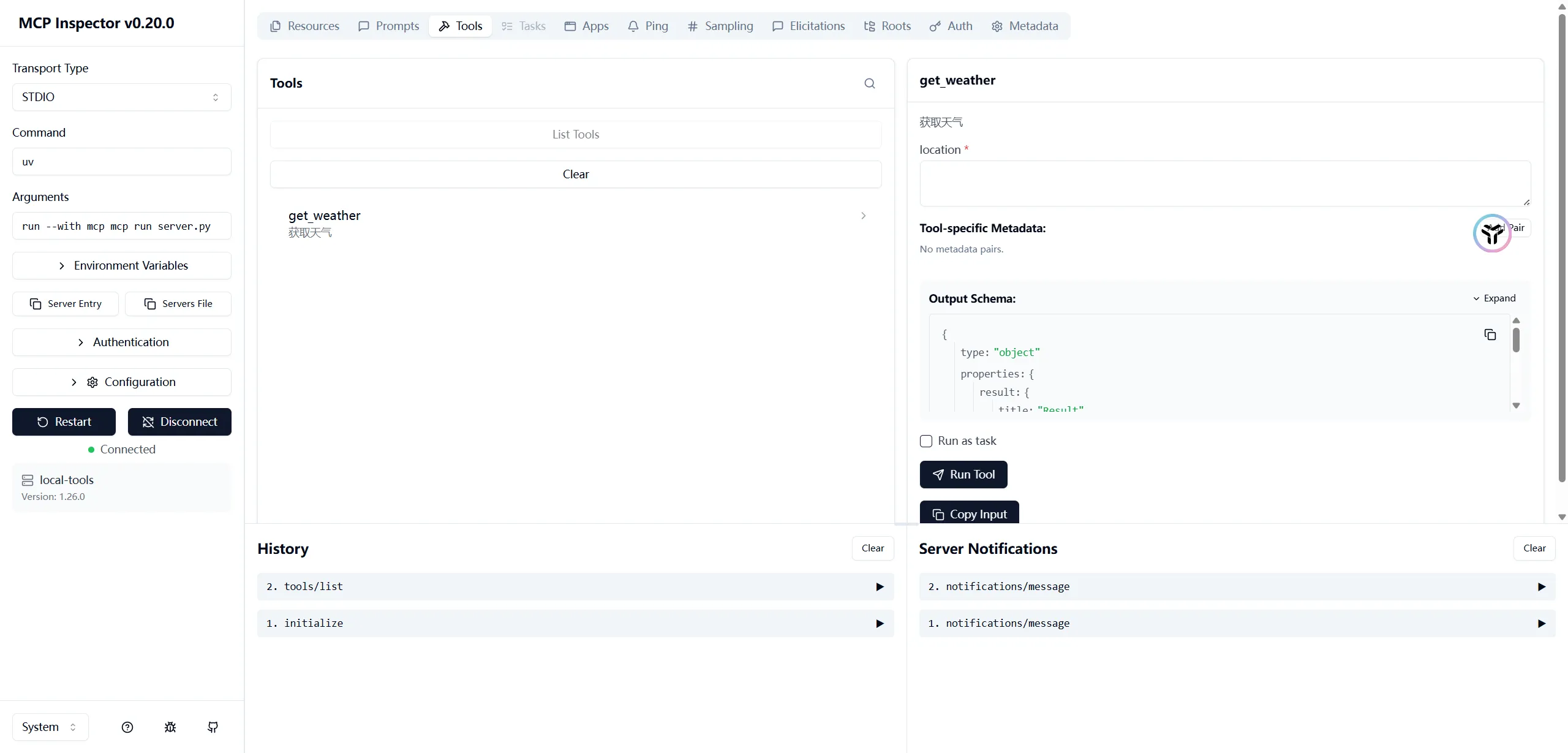
比如说获取天气
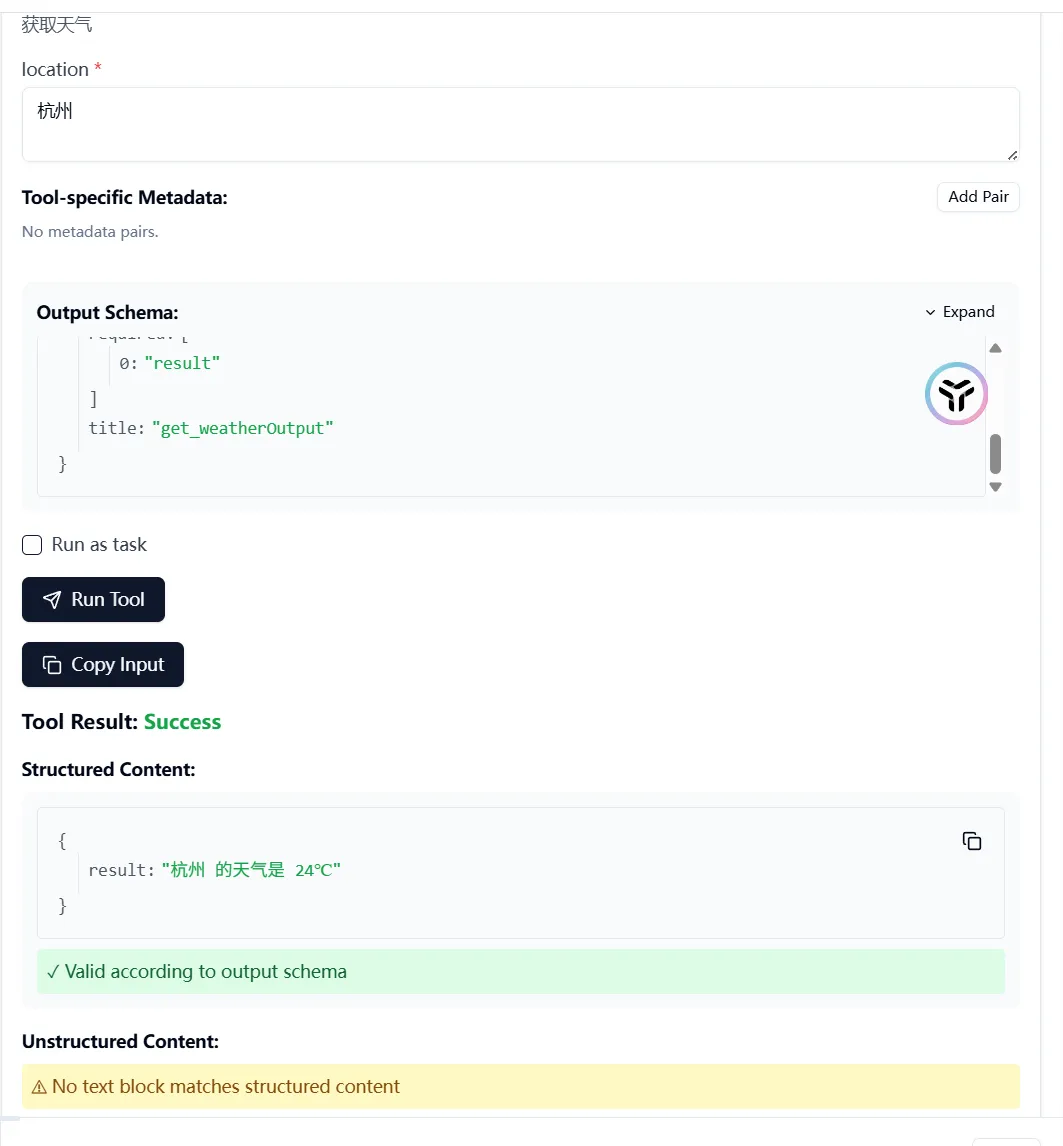
这样的MCP Server建立后可以通过本地调用或远程调用的方式被Claude Code等获取
加入到Claude
使用
claude mcp add local-tools --scope user --transport stdio python D:\DreamReflexTech\devops-blog\playgrounds\server.py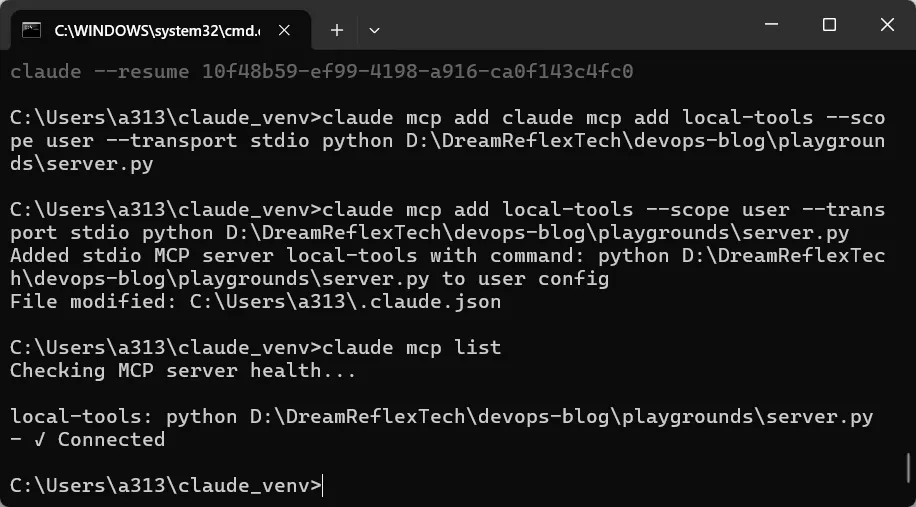
此时就可以增加这个MCP
此时我询问一个并不存在的地名,假设说莫尔斯他,那么他也会调用MCP来试着获取天气。
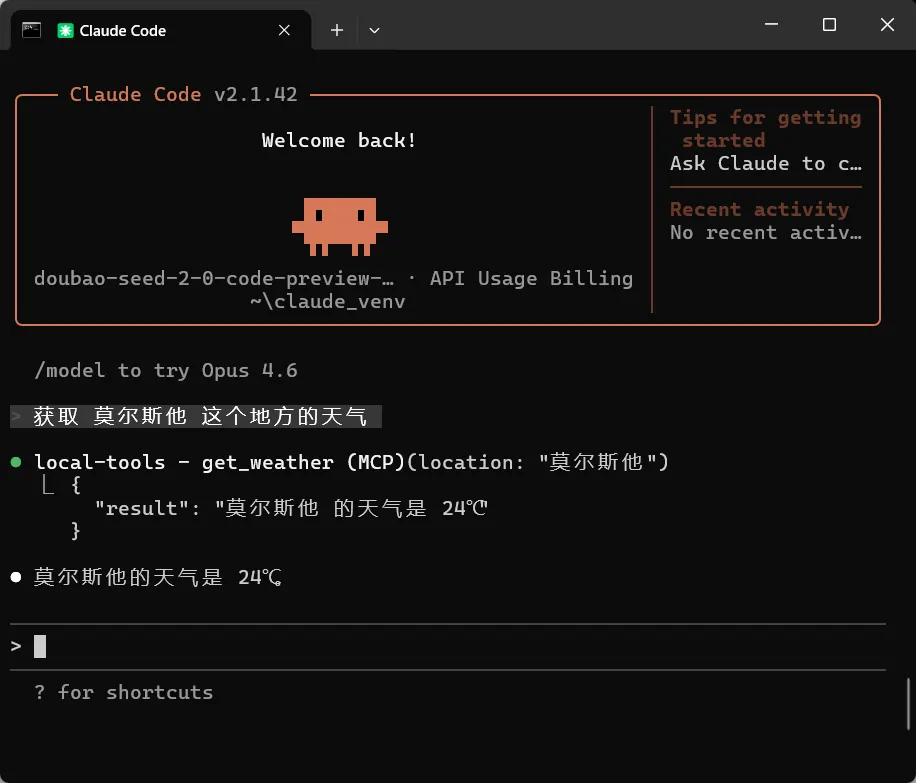
并回答莫尔斯他这个地方的天气是24度
这就是一个本地MCP的能力
远程MCP Server
MCP Server和Client的沟通过程本质上是Token通讯,因此并不限制本地或远程,常用的是下面两种
| 方式 | 场景 |
|---|---|
| stdio | 本地工具,依赖STDIO直接传递token和信息 |
| HTTP/SSE | 远程服务器,通过HTTP协议进行通讯 |
总之能够进行通讯就可以
代码如下
from fastmcp import FastMCP

mcp = FastMCP("remote-tools")

@mcp.tool
def get_weather(location: str) -> str:
    """获取天气"""
    return f"{location} 的天气是 24℃"

if __name__ == "__main__":
    # SSE transport - use HTTP instead for new projects
    mcp.run(transport="sse", host="127.0.0.1", port=3333)
启动成功后会在3333端口启动一个服务
                            ╭──────────────────────────────────────────────────────────────────────────────╮
                            │                                                                              │
                            │                                                                              │
                            │                         ▄▀▀ ▄▀█ █▀▀ ▀█▀ █▀▄▀█ █▀▀ █▀█                        │
                            │                         █▀  █▀█ ▄▄█  █  █ ▀ █ █▄▄ █▀▀                        │
                            │                                                                              │
                            │                                                                              │
                            │                                FastMCP 2.14.5                                │
                            │                            https://gofastmcp.com                             │
                            │                                                                              │
                            │                    🖥  Server:      remote-tools                              │
                            │                    🚀 Deploy free: https://fastmcp.cloud                     │
                            │                                                                              │
                            ╰──────────────────────────────────────────────────────────────────────────────╯
                            ╭──────────────────────────────────────────────────────────────────────────────╮
                            │                          ✨ FastMCP 3.0 is coming!                           │
                            │       Pin `fastmcp < 3` in production, then upgrade when you're ready.       │
                            ╰──────────────────────────────────────────────────────────────────────────────╯


[02/14/26 21:20:55] INFO     Starting MCP server 'remote-tools' with transport 'sse' on http://127.0.0.1:3333/sse         server.py:2580
INFO:     Started server process [22732]
INFO:     Waiting for application startup.
INFO:     Application startup complete.
INFO:     Uvicorn running on http://127.0.0.1:3333 (Press CTRL+C to quit)
得到了MCP Servr名称后和方式之后,就可以进行添加了,我们关注的信息是
- 名称
remote-tools - 传输方式
sse - 路径
http://127.0.0.1:3333/sse
组成mcp的添加命令如下
claude mcp add remote-tools --transport sse http://127.0.0.1:3333/sse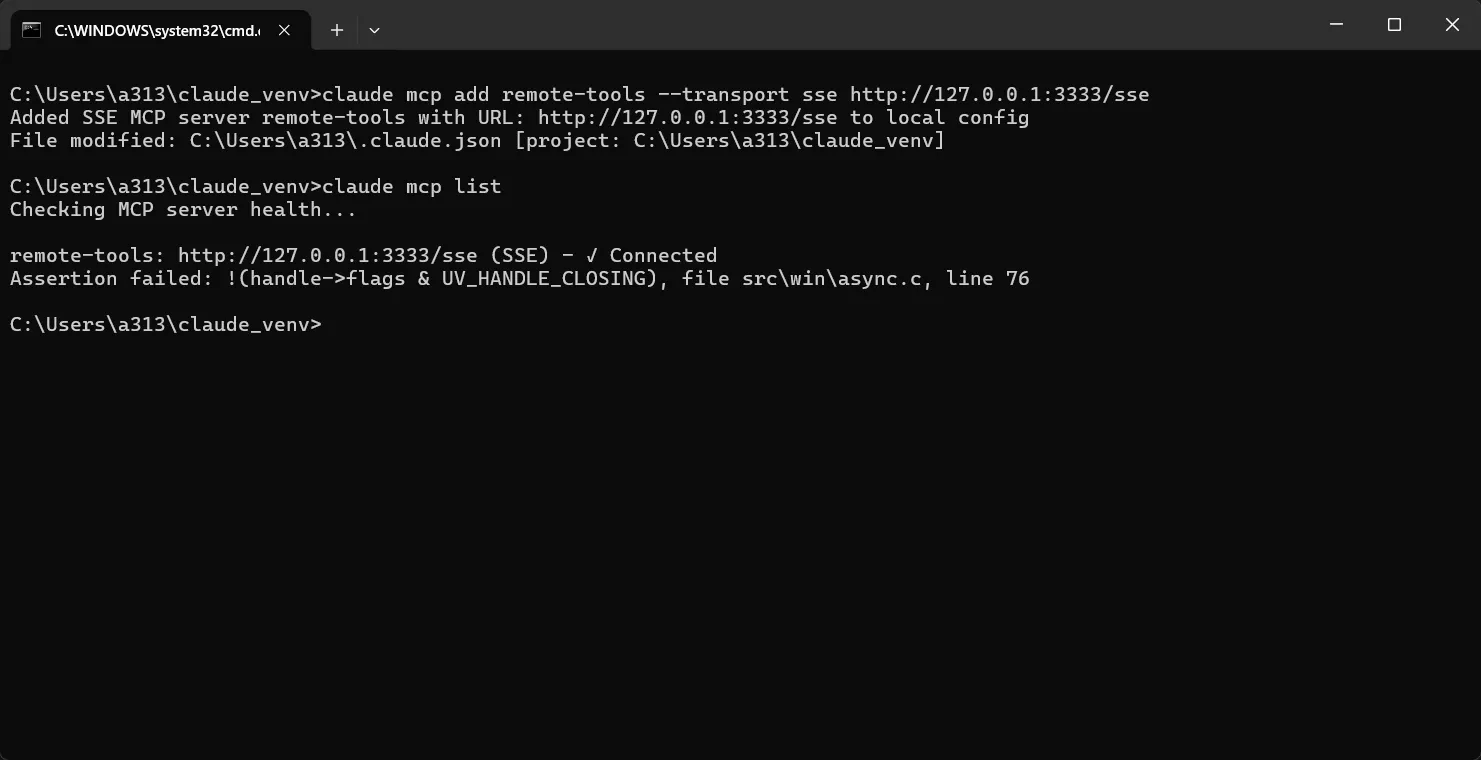
此时提示Connected则为成功
此时我们再进行测试,查询一个不存在的地名 深海明珠,claude则会调用MCP查询地名天气并给出答案
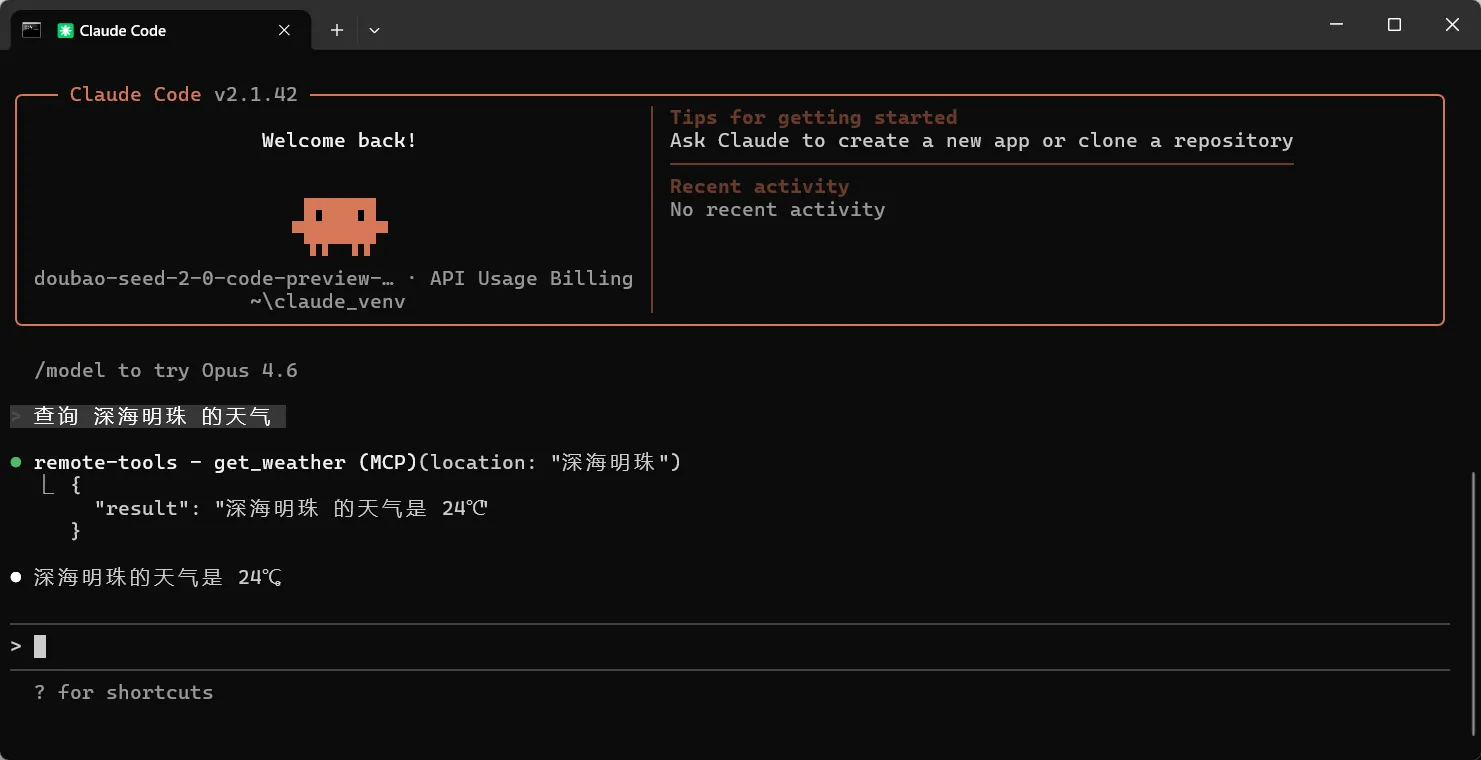
此时说明MCP工作正常
在MCP基础上,我们还可以增加其他功能,例如公网HTTPS,Authorization头验证,用户验证等等复杂功能。
可供参考的连接